InterProcess Sp. z o.o. | Solutions for industry

Where we use them
Bulk solids process control, from silo to pack
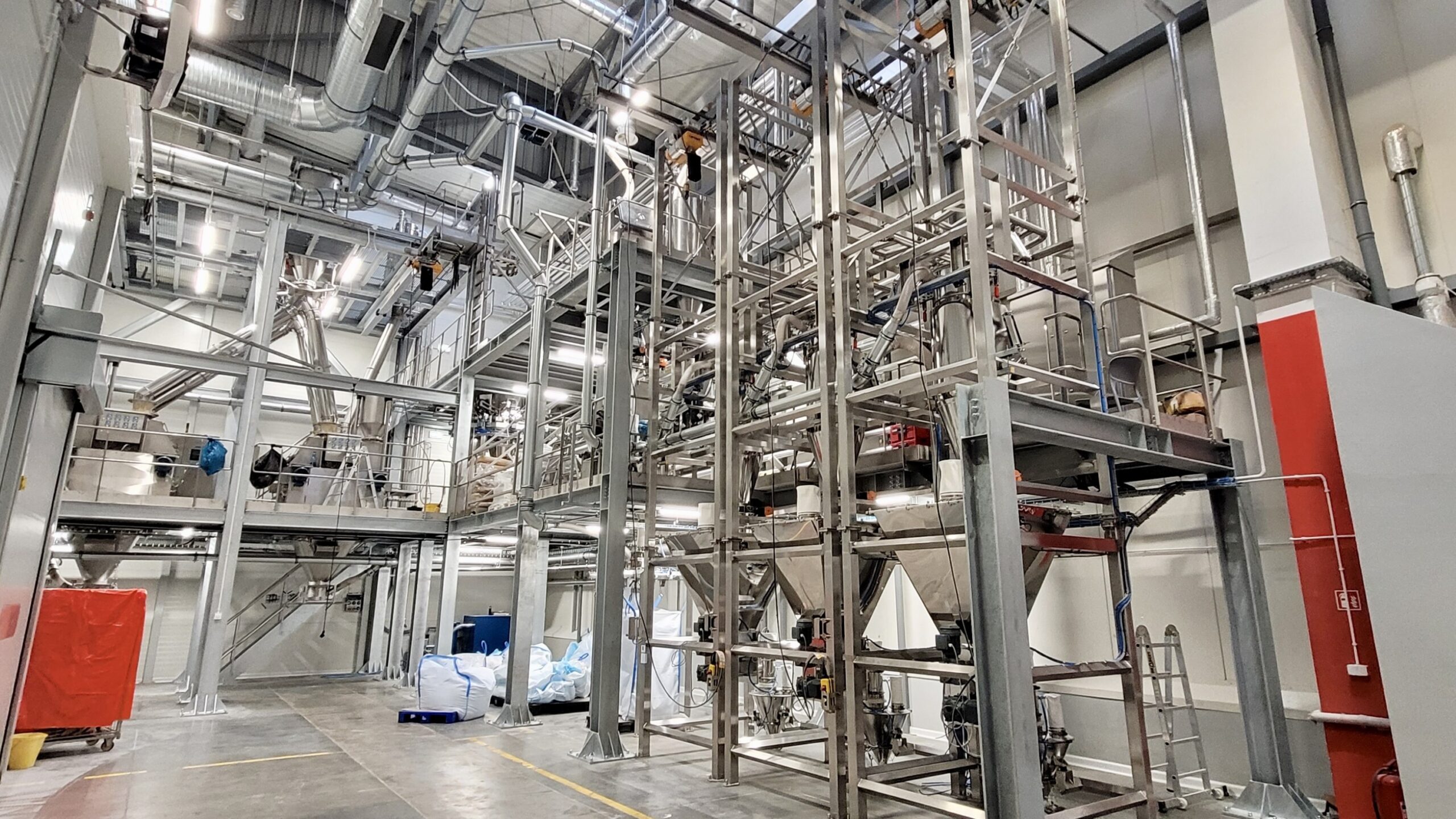
Each of these processes has its own sequences, interlocks and measuring points. We build the controller program, the HMI screens and the reports around them, which is why we start with the process rather than with an equipment list.
Conveying and storage
Conveyors, pneumatic conveying, silos and vessels: start and stop sequences, interlocks between machines, and monitoring of levels, stock and conveying routes.
Pneumatic conveying →Weighing
Hopper, platform and belt scales: stock measurement, totalising of material flow, taring and zeroing from the screen, logging of weighments and shift reports.
Weighing in the process →Feeding and recipe batching
Coarse and fine feeding, in-flight correction, multi-component recipes with tolerances, ingredient sequencing and reconciliation of every batch.
Bulk solids feeding →Mixing
Mixing sequences with control of time and ingredient addition order, valve interlocks, and batch discharge to a buffer vessel or a packing line.
Mixing of bulk materials →Filling and packing
Sack and big bag filling stations and packing lines: the filling cycle with weighing, weight checking, pack counting and transfer of data to the label or the warehouse system.
Packaging filling lines →Upgrading existing installations
Replacing the controller or panel without rewiring, migrating from older SIMATIC families to the S7-1200 or S7-1500, and providing new visualisation and communication with the plant systems.
Scope of upgrade services →PLC platform
Siemens SIMATIC S7-1200 and S7-1500 controllers
A PLC comes into play when the installation has many devices besides the scale, or when it has to be integrated with the plant’s existing control system. We program both families in the single TIA Portal environment, so the program for a station and the program for a whole line share the same structure, naming and diagnostics. We choose the controller family to suit the scale of the installation, not the other way round.
Compact controller
SIMATIC S7-1200
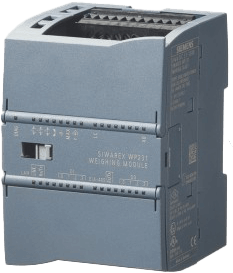
Individual machines and workstations: a feeding station, a big bag station, a hopper scale with a few drives, a small filling line. Built-in Profinet, a few dozen inputs and outputs in the rack, and an HMI panel connected directly to the controller.
- Scale
- 1 machine or workstation, up to a few dozen signals
- Weighing
- a PENKO controller over Profinet or Modbus TCP, or a SIWAREX module in the rack; the batching algorithm runs in the weighing module
- Visualisation
- a 7 to 12 inch SIMATIC HMI panel at the machine
Modular controller
SIMATIC S7-1500
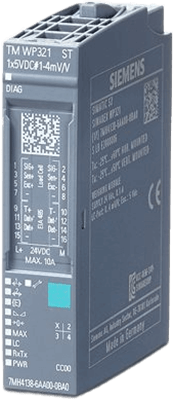
Process lines and complete installations: several ET 200SP distributed I/O stations, dozens of drives, multi-component recipes, SCADA and data exchange with the plant systems. Greater performance, an OPC UA server and room to expand.
- Scale
- a line or installation, hundreds of signals, several ET 200SP stations
- Weighing
- PENKO controllers and SIWAREX modules in ET 200SP stations side by side in one project; the PLC supervises, the modules do the batching
- Visualisation
- HMI panels at the workstations and WinCC SCADA in the control room
HMI and SCADA
Visualisation for the operator, the maintenance team and the process engineer
Three groups of users work with the same system, and each needs different information. We design the screens by role: the operator sees what they control, the maintenance team sees what needs attention, and the process engineer sees what goes into the production account.
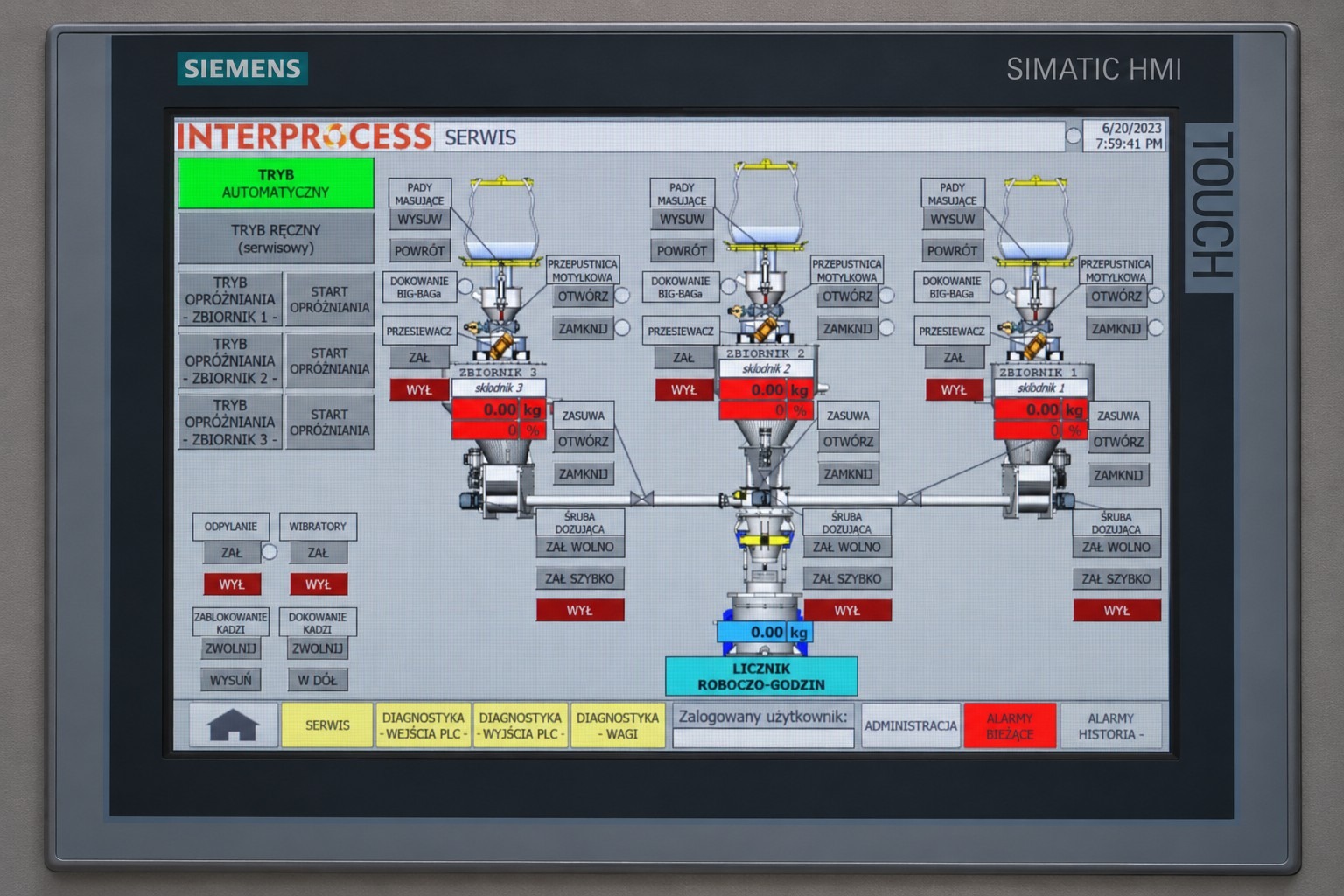
Operator
An HMI panel at the machine: manual and automatic mode, recipe start and stop, equipment status on the plant diagram, and alarms with a prompt giving the cause and the next step.
- ·a plant diagram with live status
- ·alarms and acknowledgements with history
- ·user permissions and language versions
Maintenance
Diagnostics without a laptop: the status of every input and output, messages from the drives and weighing modules, running hours and cycle counters, and alarm history with durations.
- ·diagnostics of the Profinet network and the devices
- ·service screens for testing drives and valves
- ·secured remote access for service
Process engineer and production manager
Recipes and process parameters in one place, measurement trends, raw material consumption reports per batch and per shift, and data export to a spreadsheet or to ERP and MES systems.
- ·recipe editing with permission control
- ·trends and an archive of process values
- ·batch and shift reports and a raw material balance
| Criterion | HMI panel | SCADA system |
|---|---|---|
| Scope | one machine or workstation; a screen at the equipment | a line, a building or a plant; workstations in the control room and access from the plant network |
| Historical data | a limited alarm archive and basic trends | a process database, long archives, batch and shift reports |
| When we recommend it | individual machines and stations, local operation, a small number of recipes | many workstations, production reporting required, integration with the plant systems, remote supervision |
Weighing integration
The batching algorithm always sits in the weighing module. The PLC appears as the installation grows
The weighing and batching cycle, batch or continuous, is always run by a dedicated weighing module with a ready-made, proven automatic weighing instrument program: a PENKO controller or a Siemens SIWAREX module. The difference between a small and a large installation lies in who supervises that module: in a small one it works on its own and reports over a fieldbus to the customer’s existing DCS or PLC; in a large one a Siemens PLC we supply, with HMI or SCADA, sits above the scales.
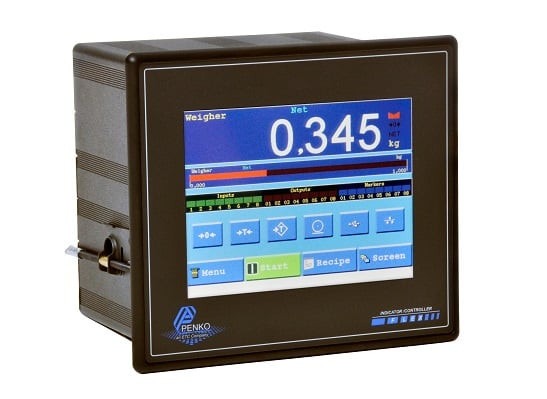
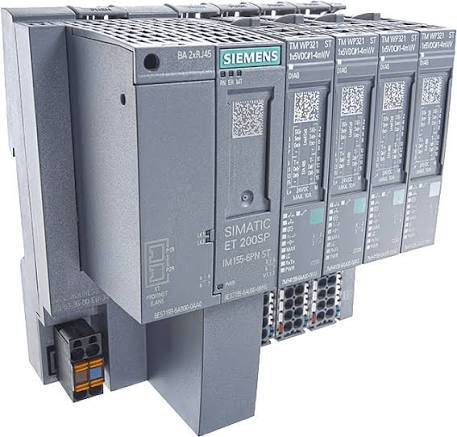
In both cases the weighing module provides data appropriate to the type of instrument: for batch weighing instruments the gross and net weight, the result and the batching deviation; for continuous instruments (belt scales, loss-in-weight feeders) the current flow rate, the material total and the deviation from setpoint; and in every case the measurement status, alarms and control commands such as tare, zero, start and stop. In a small installation these go to the controller display and over the fieldbus to the plant’s existing DCS or PLC; in larger ones they go to the PLC, HMI and SCADA that we supply. The selection of controllers, modules and load cells is described on separate pages.
Architecture and communications
From the load cell to the plant system: the layers of a control system
Each layer has its own task and its own protocol. Below is the typical arrangement for a bulk solids installation, scalable from a single station with a weighing controller or HMI panel up to a plant with SCADA and data exchange with ERP.
Level 4
Plant
ERPMESReporting and databases
OPC UA · SQL · CSV / XML files
Level 3
Supervision
SCADA WinCCProcess archiveRemote service access
Profinet (S7) · OPC UA
Level 2
Control
SIMATIC S7-1200 / S7-1500 PLCHMI panels
Profinet · Profibus DP · Modbus TCP / RTU
Level 1
Devices
PENKO / SIWAREX weighing electronicsET 200SP stationsVariable speed drivesValve terminals
mV/V · 4–20 mA · binary signals
Level 0
Process
Load cellsDrives and motorsValves and gatesLevel and pressure sensors
We keep the control network separate from the office network; remote access is only ever through an encrypted connection agreed with the IT department.
From our projects
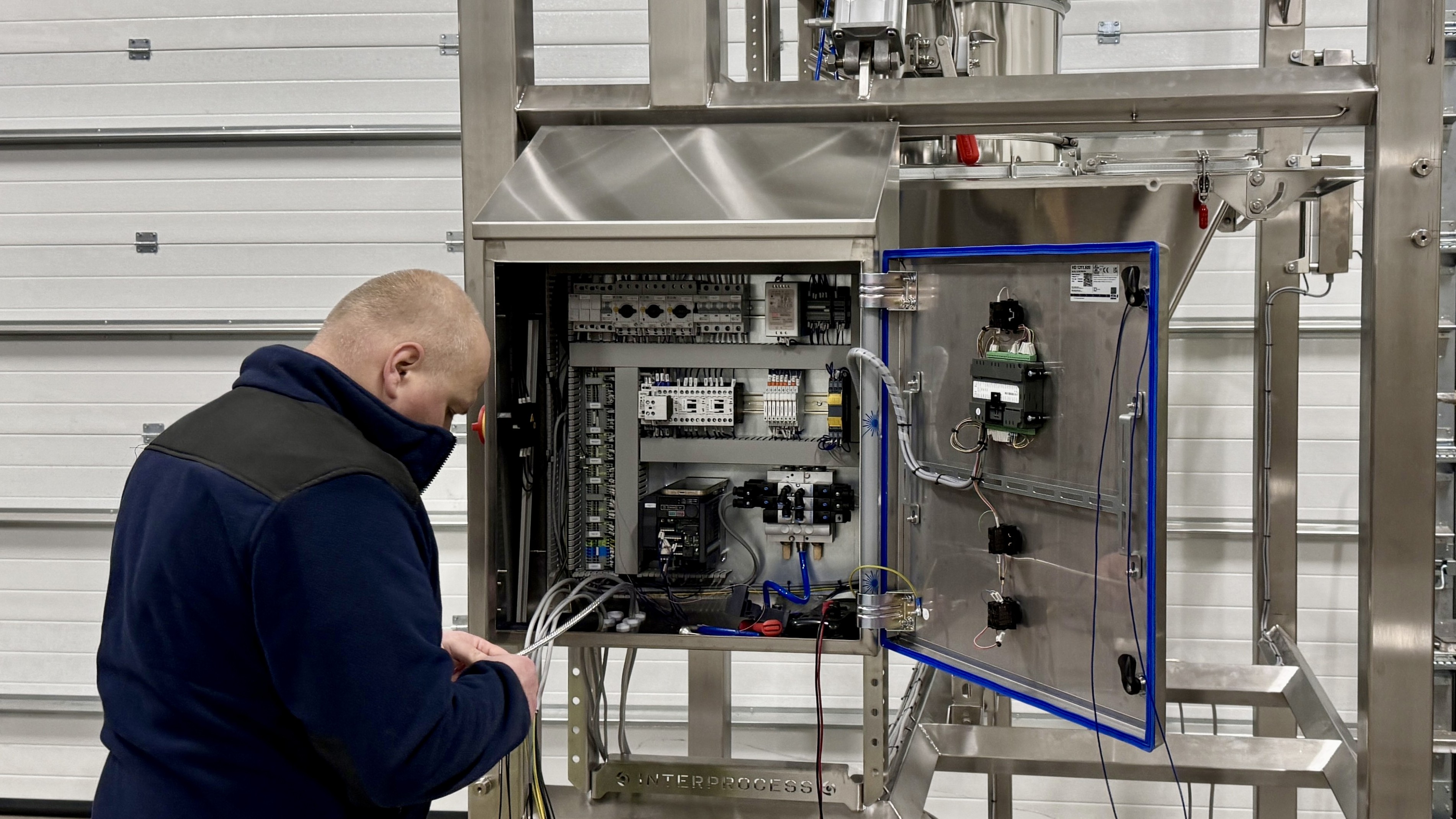
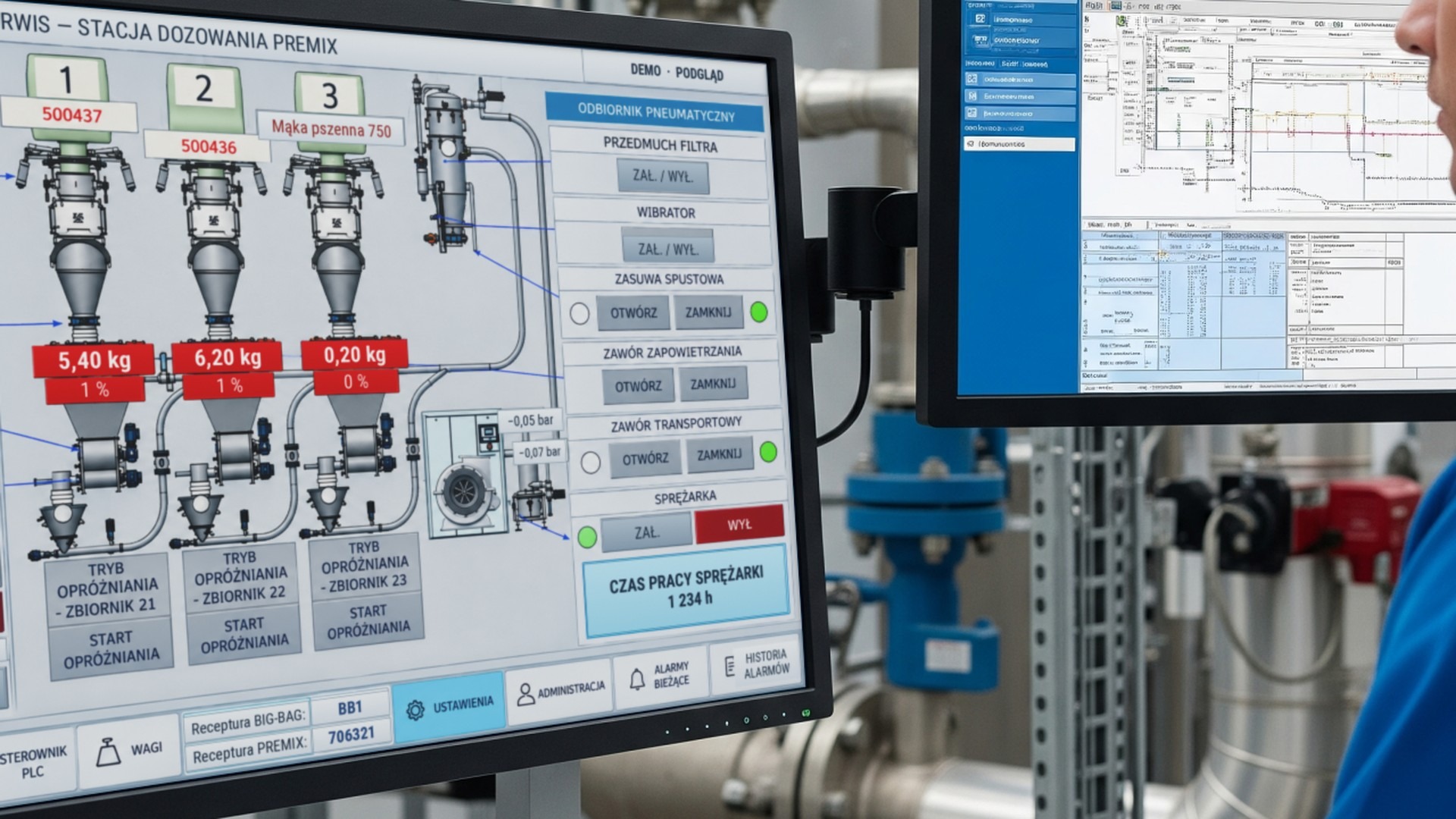
Screens, panels and workstations from our installations
The panels, the program and the screens are produced by our own team.
Scope of work
From the signal list to handover of the installation
We deliver the control system as a whole: process analysis and the signal list, panel design and build, the PLC program in TIA Portal, HMI and SCADA screens, FAT testing, commissioning on the material with calibration of the scales, training and as-built documentation. After handover we provide service, recipe changes and expansion to further workstations.
A full description of the stages, responsibilities and terms of cooperation, including for integrations and upgrades, is on the services page.
Full scope of servicesFAQ